
Crew
Multiple users can be invited to your Orchard with different roles to fit your needs. You can get help with management, and you can add read-only users so members of your community can access the dashboard.
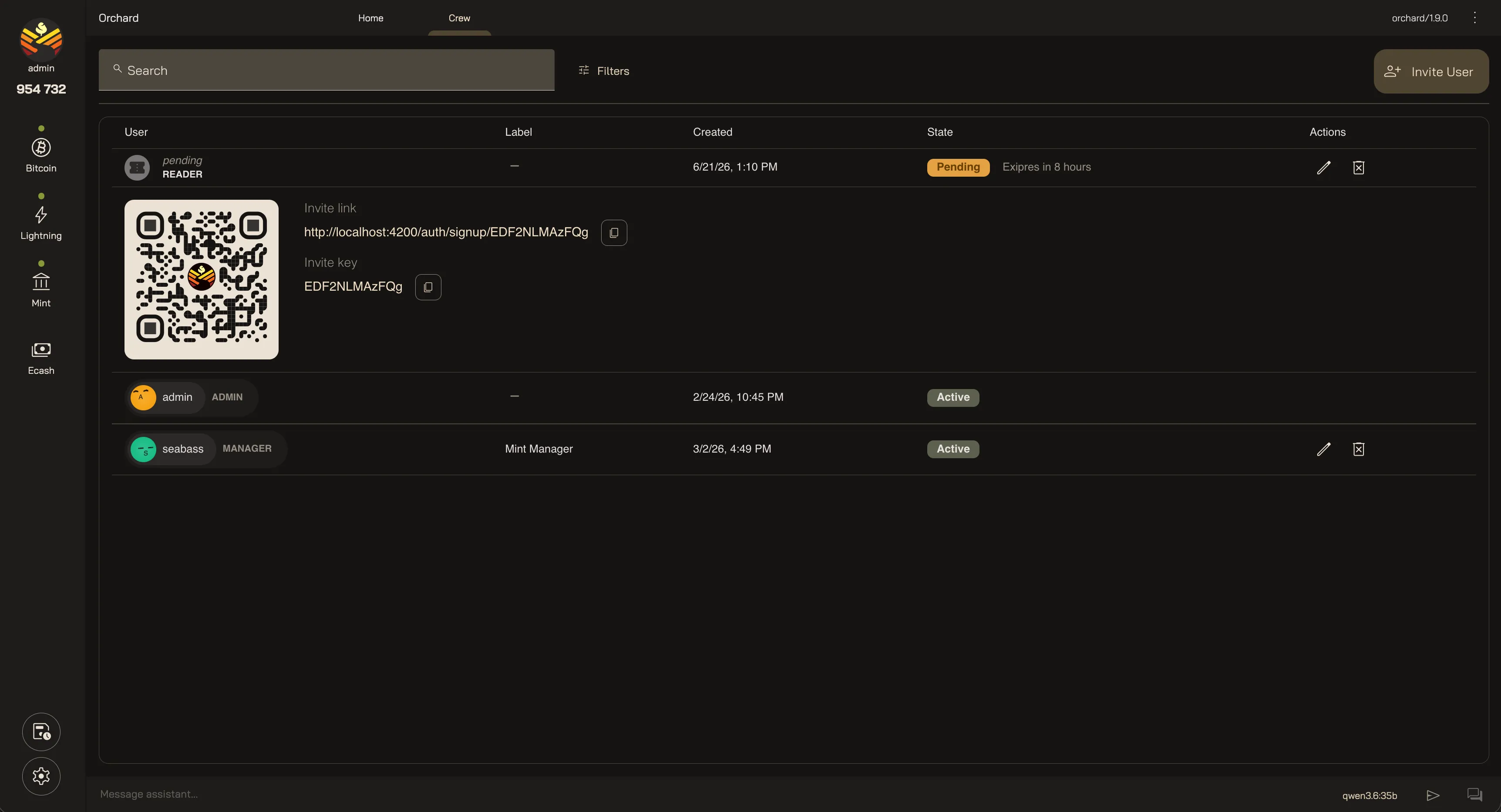
Invites
Section titled “Invites”Users are invited to join your Orchard with expiring invite codes you can share with them. They can be set to expire after a certain amount of time, or you can turn off expiry. From there they can create their own user account and sign in to your Orchard.
Your invites are scoped to the role Manager or Reader.
Every member holds one role that decides what they can do:
- Admin — full control of the instance. There can only be one admin. This is the account you created at setup.
- Manager — can manage the mint.
- Reader — can only view the application. No management capabilities.
Crew Management
Section titled “Crew Management”Invites and Crew members can be managed from the Crew page. You can extend or revoke invites, and you can change a member’s role or switch them between Active and Inactive at any time.
Your Orchard Crew
Last updated: