
Mint
Connecting your Cashu Mint to Orchard gives you a complete micro-application for mint operation. Here you can observe, configure, and manage your mint.
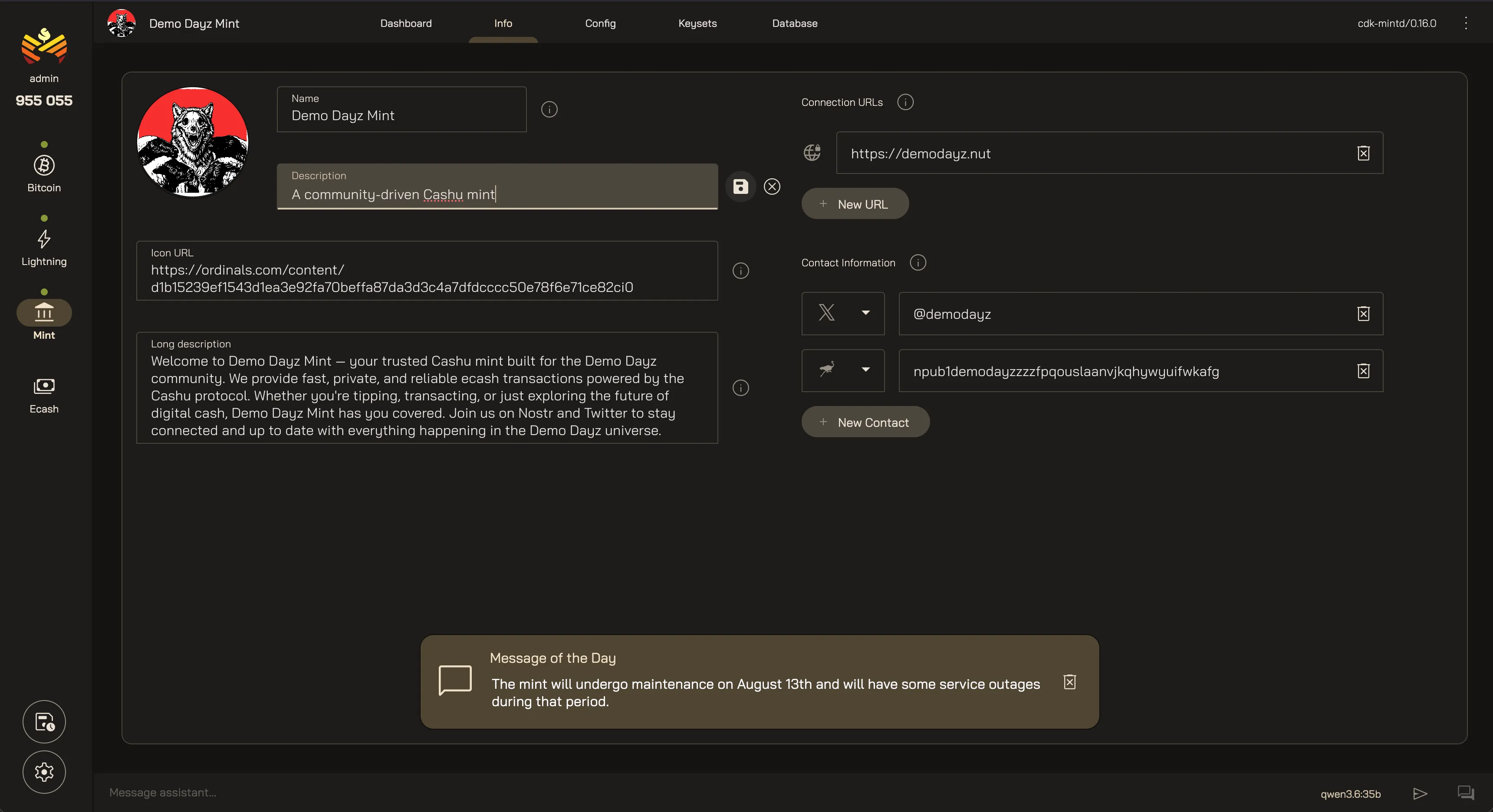
Dashboard
Section titled “Dashboard”Get an executive overview of your mint’s health and status:
- Info — the mint’s public info
- Config — supported features
- Keysets — keyset breakdown and database growth.
- Activity — recent activity and volume.
- Balance Sheet — a real-time snapshot of the mint’s holdings.
- Nutalytics — rich timeseries charts of the mint’s activity.
Update public information that wallets read about your mint.
- Name, description, and a longer description.
- Icon — the image a wallet displays for your mint.
- Connection URLs — where wallets reach the mint.
- Contacts — how users get in touch (email, X, Nostr, and so on).
- Message of the Day — a short broadcast note.
Keep it accurate: this is what a wallet shows someone before they trust your mint.
Config
Section titled “Config”View and manage the features your mint does and does not support, and how they are configured. Some features are managed in the mint’s own config file, and others can be managed in Orchard.
Keysets
Section titled “Keysets”Manage your mint’s keysets and monitor balances after rotations. Keysets can be rotated to change fees, versions, and denominations.
Database
Section titled “Database”Orchard opens up the mint database. You can browse mint, melt, and swap records with a rich set of filters to find exactly what you need.
Back up and restore the mint database straight from the dashboard.
- Create Backup downloads a copy of the database.
- Restore Backup restores the database from a saved backup.
The recovery model
Section titled “The recovery model”A lost or corrupted mint is restored from two things together:
- The secret seed, which derives the mint’s signing keys. This static private key lives outside the mint’s database, in the secret the mint’s config points to. This half stays your responsibility.
- The database, which changes every time the mint issues or redeems ecash.
With both, a mint lost to a dead disk or similar catastrophe comes back fully operational, with the same keysets and the same outstanding ecash. With only one, it cannot. Have a backup and storage strategy for both.
System
Section titled “System”Watch how the mint itself is running. Orchard reads the mint’s metrics page every minute and charts it here, over a date range and interval you pick.
- System — processor use, memory used, and memory as a percentage.
- HTTP — request volume, error rate, which endpoints get hit, and how long requests take at the 50th, 95th, and 99th percentile.
- Mint — mint operations, requests in flight, and operation timings.
- Database — operations, open connections, and query timings.
- Activity and errors — wallet and payment operations, authentication rate on mints that support it, and errors.
Connecting a mint gives the AI agent read-only tools for knowing what’s happening on your mint:
- Mint Info — mint identity, version, and operator contact info.
- Mint Analytics — balances, mints, melts, and fees over time.
- Mint Metrics — mint and melt volumes, swap fees, and issuance over time.
Your Orchard Mint
Last updated: